
Download GreetAI – Free AI‑Powered Interview Tool for Recruiters & Job‑Seekers
Overview
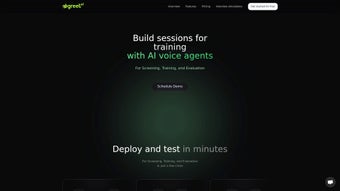
GreetAI is a cloud‑based, AI‑driven interview platform that reshapes how companies source, screen, and engage talent. By blending natural‑language processing, sentiment analysis, and a transparent Matching Score, the service automates the early‑stage interview process while still allowing human recruiters to intervene when needed. The free tier provides unlimited job postings and 20 AI interview credits each month, making it an attractive option for startups, small‑to‑medium businesses, and individual job seekers who want to practice interview techniques. GreetAI stores all data with end‑to‑end encryption and complies with GDPR and CCPA, ensuring that both candidate and employer information remains secure. This review breaks down the core capabilities, walks through the onboarding experience, checks system compatibility, weighs the pros and cons, and answers the most common questions so you can decide whether GreetAI fits your hiring workflow.
Core Features & Intelligent Scoring
At the heart of GreetAI lies a sophisticated interview engine that can conduct fully automated pre‑screening sessions or act as a co‑pilot during live interviews. Recruiters start by crafting a job description inside an intuitive editor; the platform then generates a unique interview link that can be shared via email, career portals, or social media. When a candidate clicks the link, the AI greets them, asks role‑specific questions, records responses, and evaluates each answer against a predefined competency matrix.
After the interview, GreetAI instantly produces a concise summary, highlights strengths and gaps, and calculates a Matching Score ranging from 0 to 100. This score reflects how closely the candidate’s experience, skills, and cultural fit align with the job requirements, providing an objective baseline for further evaluation. The following feature list captures the most valuable capabilities:
- Unlimited Job Posting: Publish as many openings as you need without additional cost.
- AI‑Driven Pre‑Screening: Automated interview flow with role‑specific questioning and real‑time analysis.
- Live Interview Mode: Human recruiters can join the AI session at any moment to add nuance.
- Matching Score: A numeric indicator (0‑100) that quantifies candidate fit based on skills, experience, and cultural alignment.
- Instant Summaries & Email Feedback: Detailed reports are available in the dashboard and emailed to candidates.
- Practice Interviews for Individuals: Job seekers can schedule mock interviews to refine their responses.
- Free Tier with 20 AI Credits: Each month, users receive 20 free AI interview credits.
- Secure & Compliant Data Handling: Encryption in transit and at rest, GDPR & CCPA compliance.
The combination of automated screening, transparent scoring, and immediate feedback dramatically reduces time‑to‑hire, allowing HR teams to focus on strategic tasks such as employer branding and candidate experience.
Getting Started, Compatibility, Pros & Cons, and Frequently Asked Questions
Because GreetAI is a SaaS solution, there is no software to install. Users simply create a free account on the GreetAI website, verify their email, and are greeted by an onboarding wizard that guides them through profile setup, job description creation, and credit allocation. The wizard walks you through five essential steps: (1) company profile entry, (2) job description builder, (3) credit review, (4) interview link generation, and (5) results dashboard navigation. All actions are performed in a modern web browser, making the platform compatible with any operating system that supports Chrome, Firefox, Edge, or Safari.
- Windows 10/11 – any recent browser
- macOS Ventura & Monterey – Safari, Chrome, Firefox
- Linux distributions – up‑to‑date browsers
- iOS 13+ – Safari or Chrome (mobile‑optimized UI)
- Android 9+ – Chrome or Firefox (responsive design)
For enterprises requiring single sign‑on, GreetAI supports SAML 2.0 and OAuth integrations with Azure AD, Okta, and Google Workspace. An open API also allows seamless export of interview data to ATS platforms such as Greenhouse, Lever, or Workday.
Pros
- Speed & Efficiency: Cuts manual screening time by up to 70 %.
- Objective Scoring: Matching Score offers a data‑driven hiring metric.
- Generous Free Tier: Unlimited postings and 20 AI credits are ideal for small teams.
- Cross‑Platform Compatibility: Works on Windows, macOS, Linux, iOS, and Android.
- Security & Compliance: End‑to‑end encryption and GDPR/CCPA adherence.
Cons
- Credit Limitation: High‑volume recruiters may need to purchase extra credits.
- AI Depth: While robust, the AI’s probing ability is still maturing for highly technical roles.
- Internet Dependency: No offline mode; a stable connection is required.
- Scoring Customization: Tailoring the Matching Score to unique cultural factors may require trial and error.
Frequently Asked Questions
Can GreetAI be used for non‑technical positions?
Yes. The platform includes question templates for sales, marketing, customer support, administration, and many other functions. Recruiters can also upload custom questions to suit any role.
How does GreetAI address potential bias in its scoring?
The AI evaluates responses solely on competency criteria, ignoring demographic data. Continuous model updates and transparent weighting help mitigate bias, and recruiters can review the factor breakdown for each score.
What happens after the 20 free interview credits are used?
Additional interviews can still be conducted, but they must be scheduled as manual (human‑led) sessions, or you can purchase extra AI credits from the Offers section.
Is there an API for syncing GreetAI data with my ATS?
Yes. GreetAI offers RESTful endpoints that push interview summaries, Matching Scores, and candidate profiles directly into popular ATS solutions.
Can candidates receive a copy of their interview feedback?
Candidates automatically receive an email containing their score, strengths, and improvement suggestions after each AI interview.
GreetAI offers a compelling mix of automation and human oversight, making it a strong choice for SMBs and growing enterprises. The free credit limit may push high‑volume recruiters toward a paid plan, but the platform’s ease of use, secure architecture, and actionable insights more than offset that limitation.
Conclusion – Should You Download GreetAI?
In today’s fast‑paced hiring landscape, speed, data‑driven insights, and candidate experience are non‑negotiable. GreetAI delivers on all three fronts by automating pre‑screening, providing a clear Matching Score, and instantly sharing feedback with both recruiters and candidates. The generous free tier lowers the barrier to entry, and the cloud‑native design ensures compatibility across Windows, macOS, Linux, iOS, and Android devices. While organizations with very high hiring volumes may need to invest in additional credits, the ROI gained from reduced manual screening and faster time‑to‑offer often justifies the expense. For startups, SMEs, and any team looking to modernize its interview process without sacrificing security, GreetAI is a practical, cost‑effective solution.
Ready to accelerate your recruitment? Visit the official GreetAI website, create your free account, and start posting unlimited jobs today. In just a few clicks you’ll unlock AI‑driven interviews, gain instant candidate insights, and elevate your hiring efficiency to a new level.



.png)



